

Key takeaways (TL;DR)
The best overall data enrichment tool: Clay is the most complete option if you have a technical RevOps or GTM engineering resource, with 150+ data providers, waterfall logic, and AI enrichment in one tool. If you have the tools but not the architecture connecting them, The GTM Engineering Company builds that infrastructure for you.
Why you need it: 40–60% of B2B contacts are already outdated by the time a rep touches them. Stale data breaks outbound, corrupts scoring models, and collapses attribution.
Who it's for: RevOps leaders inheriting a fragmented CRM, sales teams prioritizing accounts on gut feel, and growth-stage B2B SaaS companies post-Series A that need to professionalize their GTM motion.
How to choose: Match the tool to the data type you need (company vs. contact vs. signal), confirm CRM push logic works the way your team requires it, and evaluate whether a single-source lookup or a multi-provider waterfall fits your volume and budget.
Expected price: Individual tools range from free to $150+/month. Enterprise data providers (ZoomInfo, Cognism) require custom contracts typically starting at $15K+/year.
Top Data Enrichment Tools In 2026 At A Glance
Here's how the 10 tools in this review compare on key criteria. Use this as a quick reference before reading the full reviews below.
Company | Best for | Key features | Pricing |
Clay | Waterfall enrichment + workflow orchestration | 150+ data providers, Claygent AI, waterfall logic, CRM push | From $149/month |
Apollo.io | All-in-one prospecting + enrichment | 210M+ contacts, 65+ filters, intent data, sequences | Free; paid from $59/user/month |
ZoomInfo | Enterprise-scale database enrichment | 321M profiles, corporate hierarchy, 100% firmographic fill rate | Custom; typically $15K+/year |
Clearbit (HubSpot Breeze) | Real-time HubSpot CRM enrichment | 100+ attributes, 30-day refresh, auto form-fill | Included in HubSpot plans; standalone from ~$45/month |
Cognism | GDPR-compliant B2B contact enrichment | Phone-verified contacts, intent data, EU coverage | Custom pricing |
Lusha | Quick verified contacts via LinkedIn | Chrome extension, GDPR-compliant, ISO certified | From $14.95/month (annual) |
Hunter.io | Domain-based email finding and verification | Domain search, bulk verification, confidence scoring | Free; paid from $34/month |
BetterContact | Phone + email waterfall enrichment | Multi-source waterfall, mobile numbers, Clay-native | From $29/month |
Prospeo.io | LinkedIn-based email enrichment | LinkedIn export, email finder, domain search | From $39/month |
Sumble | Job posting + tech stack signals | Job signal tracking, tech stack identification, hiring intent | Custom pricing |
What Are Data Enrichment Tools?
Data enrichment tools add, verify, and update information on company and contact records, pulling from third-party sources to fill gaps in your CRM data. A basic example is a contact record that has a name and company but no email, phone number, LinkedIn URL, or job title. An enrichment tool finds those fields and writes them back to the record.
B2B data enrichment covers three distinct layers:
Company enrichment: Adds firmographic fields such as employee count, revenue range, industry, founding year, LinkedIn company page, technographics, and web traffic. These are the most consistent fields across data enrichment companies, and most tools handle them reliably out of the box.
Contact enrichment: Adds job title, seniority, LinkedIn URL, email, direct phone, city, and country. Phone numbers are harder to verify than emails, which matters when you're building outbound sequences. Classifying seniority accurately takes an AI layer on top of raw job titles, since "VP" at a 10-person startup and "VP" at a 500-person enterprise mean different things.
Signal enrichment: Tracks whether a company just hired a RevOps leader, whether headcount grew 20%+ in six months, whether a contact moved to a new company that matches your ICP, or whether a target account posted a job opening matching your buyer persona. Signal data requires pulling from multiple specialized sources and deciding what ends up in each CRM field.
The industry has two dominant approaches. Single-source providers offer one database on a monthly subscription. Orchestration tools connect multiple providers, run waterfall logic, and decide which source fills each field at what cost. That orchestration layer is where your enrichment return shows up; the data sources are just the raw materials.
Why Do You Need Data Enrichment Tools?
Harvard Business Review research found that 47% of newly-created data records contain at least one critical error, and only 3% of companies' data meets basic quality standards. The average B2B contact database decays at 22–30% per year, which means a CRM built 18 months ago without an enrichment layer is already half-stale.
The cost compounds across every motion in the revenue stack:
Outbound sequences fail on bad data: A BDR sending 200 emails per day against a list with a 30% bounce rate is destroying domain reputation, not building pipeline.
Scoring models produce noise: An ICP scoring layer built on incomplete firmographics, missing revenue ranges, wrong employee counts, blank industry fields, ranks the wrong accounts. A scoring model running on bad data produces bad output regardless of how well it's configured.
Attribution collapses without enrichment: Contacts converting from personal Gmail addresses are invisible to marketing attribution. Lead data enrichment at the inbound layer recovers those contacts. If 40% of contacts are associated with the wrong company, closed-won analysis is built on fiction.
Reps waste time on manual research: According to Salesforce's State of Sales, the average rep spends only 28% of their week actually selling. An enterprise SDR team we worked with illustrated the remaining 72% for us to see: 2.5 hours per account, 100 accounts per quarter, manually pulling LinkedIn, company website, funding data, and org charts before writing a single email. That's 250 hours per rep per quarter that a well-built enrichment layer cuts entirely.
The right B2B data enrichment tool fills missing data, keeps it current automatically, and surfaces signals your team can act on. Most teams get one of the three. The goal of this guide is to help you build all three.
Who Needs Data Enrichment Tools?
Bad data hits different teams in different ways. Here are the five scenarios where enrichment makes the biggest operational difference:
Rev-Ops Leaders Inheriting A Broken CRM
The most common trigger we see for new business is a RevOps leader hired in the last 90 days. They almost always inherit a fragmented stack, HubSpot or Salesforce plus five other tools that don't sync properly, a lead-to-account linkage that's 40% broken, and enrichment that ran once 18 months ago during a data migration and never ran again.
If that's your situation, data enrichment is the first sprint. A 90-day mandate to show ROI requires clean data as the foundation. Scoring, outbound, and attribution all underperform on dirty records.
Sales Leaders Whose Reps Prioritize On Gut Feel
When there's no scoring model and CRM data is incomplete, reps default to gut feel, companies they recognize, accounts from previous jobs, inbounds they remember from last month. The result is uneven territory coverage and pipeline that concentrates around familiar accounts instead of high-fit ones.
Enrichment fixes the input problem. Once accounts have reliable firmographics and signals attached, a scoring model becomes possible, and reps follow data instead of instinct.
Marketing Operations Teams Dealing With Attribution Gaps
If 30% of your inbound leads arrive without a company domain, because they used a personal email or a form field typo broke the association, then 30% of your pipeline is invisible to marketing attribution. That gap makes campaign ROI impossible to defend and budget allocation almost arbitrary.
One client ran personal-email de-anonymization on their inbound flow and recovered 1 in 5 inbound leads as qualified ICP that would otherwise have been logged as unattributed junk.
Growth-Stage B2b Saas Companies Post-Funding
Post-Series A, the mandate is usually some version of "professionalize the GTM motion." That means moving from spreadsheets and tribal knowledge to documented, automated systems. Enrichment is usually the first thing to build, since a clean CRM is the foundation every other system runs on.
The tools exist. The budget to buy them usually exists after a raise. What doesn't exist is an engineer in the building who knows how to connect them and keep them running.
BDR/SDR Teams Running Outbound On Stale Lists
If your BDR team is buying contact lists from a data provider and loading them into a sequencer, you're working against three compounding problems. The list is already stale due to contact decay, there are no fit signals to prioritize who to contact first, and there's no CRM feedback loop between the BDR and AE.
Signal-based outbound fixes the prioritization layer. For BDR teams, sales data enrichment narrows the field from 500 contacts on a purchased list to 50 who just triggered a real event, a funding round, a job change at a target account, a 20%+ traffic spike, or a new RevOps hire. Reply rates are not comparable.
Best Data Enrichment Tools: In-Depth Review & Comparison
Each tool below is reviewed on fit, top features, pros, cons, pricing, and a final verdict. The list runs from most complete to most specialized.
1. Clay
Overview
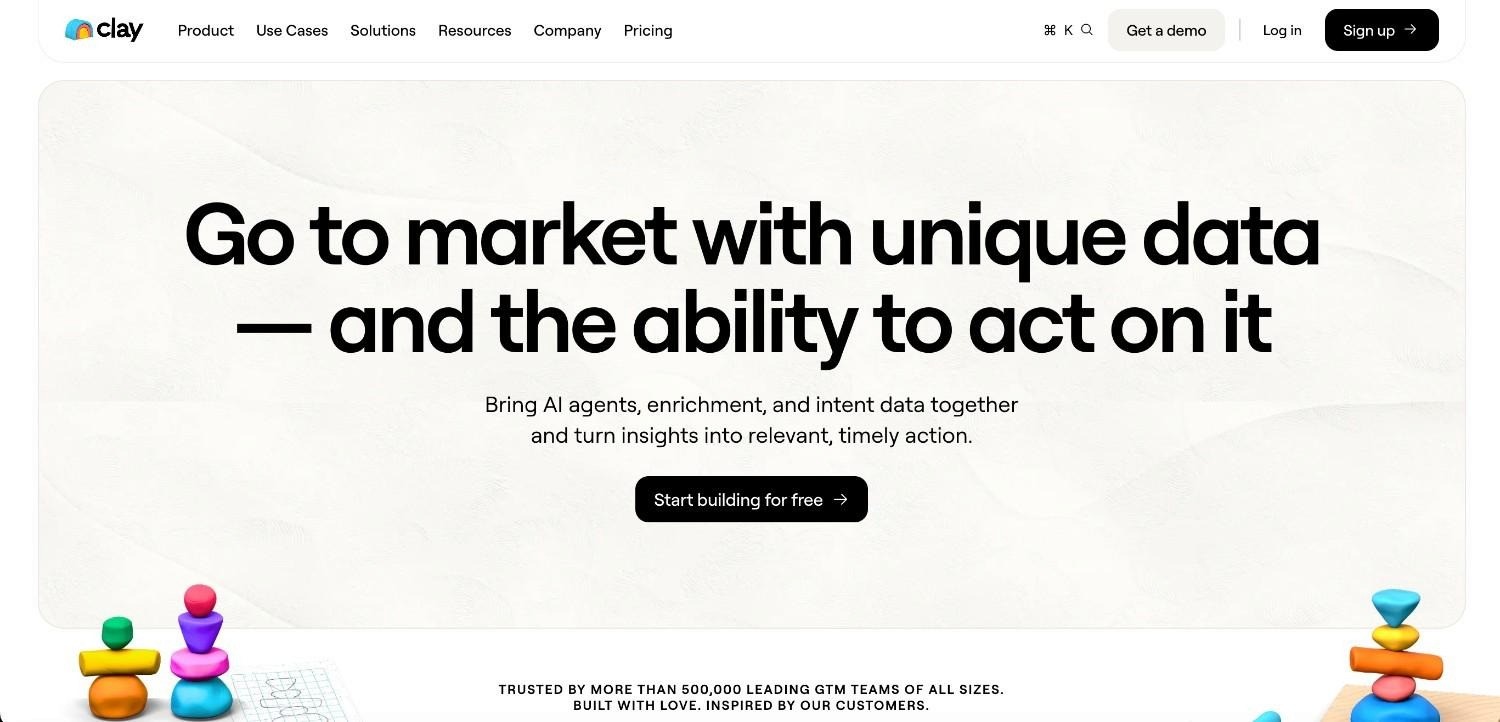
Clay is the orchestration layer of the modern B2B GTM tech stack. It connects to 150+ data providers and lets you build enrichment waterfalls, trying provider A first, falling back to provider B if the field is empty, and falling back to provider C if B also misses. The result is higher fill rates at lower per-record costs than using any single data provider.
Clay isn't only a data tool. It runs AI agents (Claygent), writes personalized copy at scale, pushes enriched records to HubSpot or Salesforce via native integrations, and handles webhook triggers for signal-based logic. It's become the default infrastructure layer for RevOps and GTM engineering teams building flexible, programmable enrichment workflows.
Ideal for
RevOps engineers and GTM engineers who build and maintain enrichment pipelines
Teams running high-volume outbound who need waterfall enrichment to reach the highest fill rates
Teams that want to connect custom signals (web traffic, hiring data, GitHub activity) alongside standard firmographic enrichment
Teams on HubSpot or Salesforce who want automated two-way sync with enrichment triggers
Top features
Waterfall enrichment: Set a priority order for data providers on each field. If BetterContact has a phone number, use it. If not, fall back to Lusha, then Apollo. Clay runs the waterfall automatically and only charges for successful matches on native Clay providers. This produces higher fill rates and lower cost per record than single-source alternatives.
Claygent AI agent: A web-browsing agent that answers custom questions about any company or contact. "Does this company have a dedicated RevOps team?" "Has this account posted a job title in the last 30 days that matches our ICP?" Claygent covers fields that no database tracks.
CRM two-way sync: Clay's native HubSpot and Salesforce integrations push enriched data back to CRM records on a schedule or trigger. See how to connect HubSpot to Clay for a step-by-step setup guide.
Why they stand out
Clay is one of the strongest options for teams that want programmable, multi-source enrichment. No other tool gives you 150+ data providers under one credit system with waterfall logic built in. Claygent extends enrichment to questions no static database can answer.
Pros
150+ integrated data providers with waterfall logic in a single workspace
Claygent AI handles custom enrichment on non-standard fields
Native CRM integrations with HubSpot, Salesforce, and ActiveCampaign
Bring Your Own Key (BYOK) reduces AI enrichment costs by 80–95%. See the guide on how to save Clay credits
Active Clay Cafe community and documentation, with real answers available when builds break
Cons
Steep learning curve for non-technical users. Building advanced waterfall tables requires understanding Clay's column logic, conditional formatting, and CRM push rules.
Credit costs scale quickly at high volume without BYOK and conditional column logic.
Not a standalone sending tool; requires integration with an outbound sequencer for a full workflow
Pricing
Free plan (limited credits). Starter: $149/month. Explorer: $800/month. Pro and Enterprise: custom. Usage-based pricing on credits (data lookups + AI calls) applies across all paid plans.
Final verdict
If you have or can hire a technical RevOps or GTM engineering resource, Clay is the right starting point. Without that, the 150+ provider connections don't count for much. The system design matters more than the subscription.
2. Apollo.io
Overview
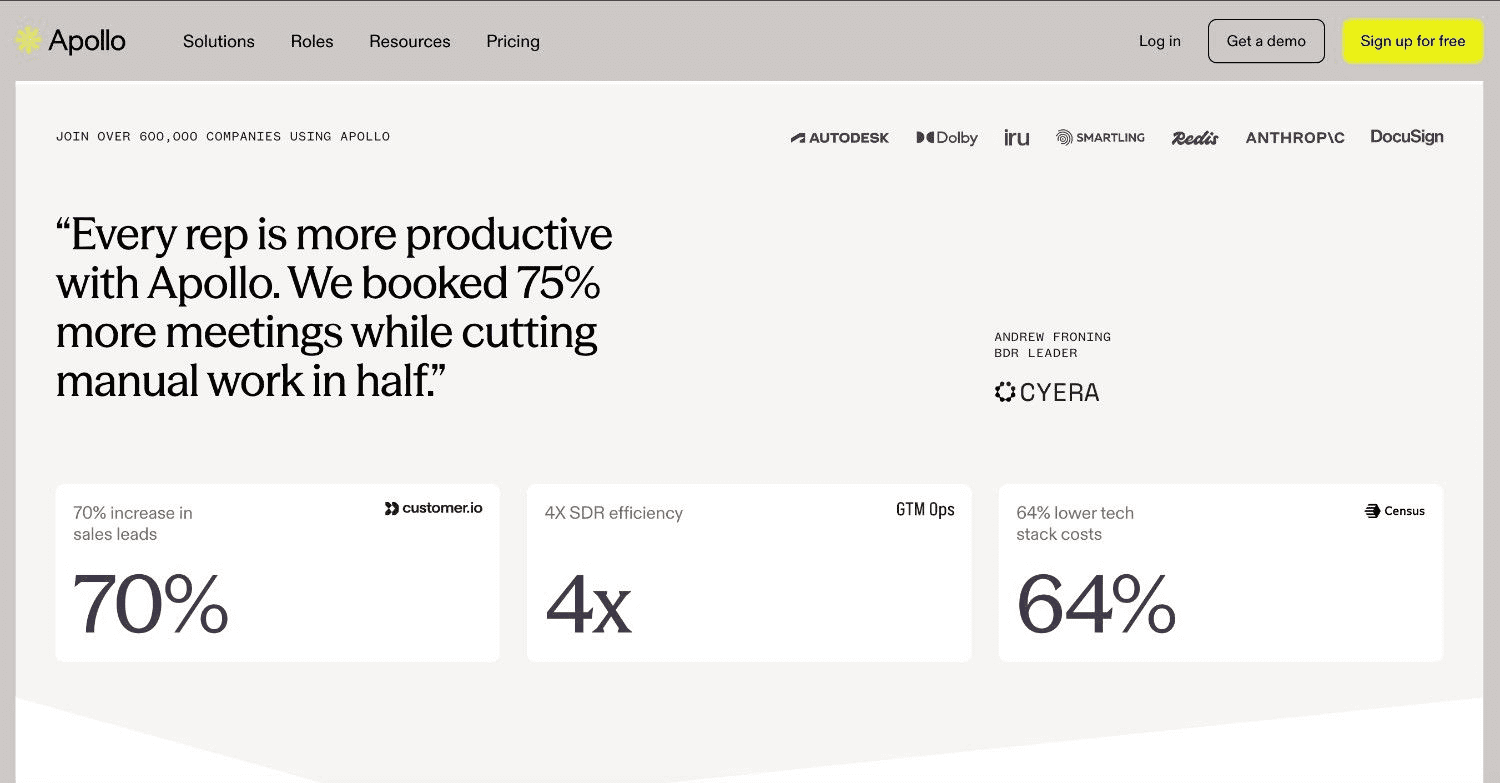
Apollo.io combines a 210M+ contact database with built-in sequencing, making it one of the few tools where you can prospect, enrich, and run outreach from a single subscription. It's particularly popular with early-stage teams that need to move fast without a dedicated tech stack.
Apollo's enrichment layer covers email addresses, phone numbers, job titles, LinkedIn URLs, company firmographics, and buying intent signals. Bulk enrichment via CSV upload and API is available on paid plans.
Ideal for
Early-stage sales teams (1–5 reps) running outbound without a dedicated RevOps function
Teams looking to consolidate prospecting, enrichment, and sequencing into one subscription
Revenue teams that need basic CRM enrichment without the complexity of a Clay waterfall build
Top features
210M+ contact database with 65+ filters: Company size, industry, revenue, technology used, hiring signals, and keyword search across job descriptions. Good starting coverage for US-based B2B contacts. International coverage is thinner.
Intent data: Apollo tracks buying signals across the web and surfaces accounts showing research behavior related to what you sell. Useful for prioritizing outbound sequences.
Bulk CSV enrichment: Upload a list of companies or contacts and get enriched fields back. Faster to run than building a Clay workflow for straightforward one-time enrichments.
Why they stand out
Apollo is one of the most cost-effective options for teams that want prospecting, enrichment, and sequencing in one subscription without building a custom stack. The free plan lets you test before committing budget.
Pros
All-in-one: database, enrichment, sequencing, and analytics in one subscription
Free plan available with limited credits
Intent data included on paid plans
Reduces tool count and integration complexity for small teams
Cons
Data accuracy degrades on international contacts outside the US and UK
Phone number coverage is weaker than dedicated providers like BetterContact or Cognism
Waterfall enrichment logic isn't available; Apollo is a single source, not an orchestrator
Sequences are less configurable than dedicated sequencers
Pricing
Free plan available. Basic: $59/user/month. Professional: $99/user/month. Organization: custom. Annual billing reduces per-seat cost.
Final verdict
Apollo is the right starting point for teams under 10 seats that need prospecting and enrichment in one tool. As you scale and data quality requirements increase, you'll need to add Clay for orchestration and dedicated providers for phone enrichment.
3. ZoomInfo
Overview
ZoomInfo is the largest B2B contact database on the market, with 321M professional profiles, 104M company records, and a data investment of over $250M annually in accuracy and coverage. It's the enterprise-grade choice for global organizations that need breadth and depth at scale.
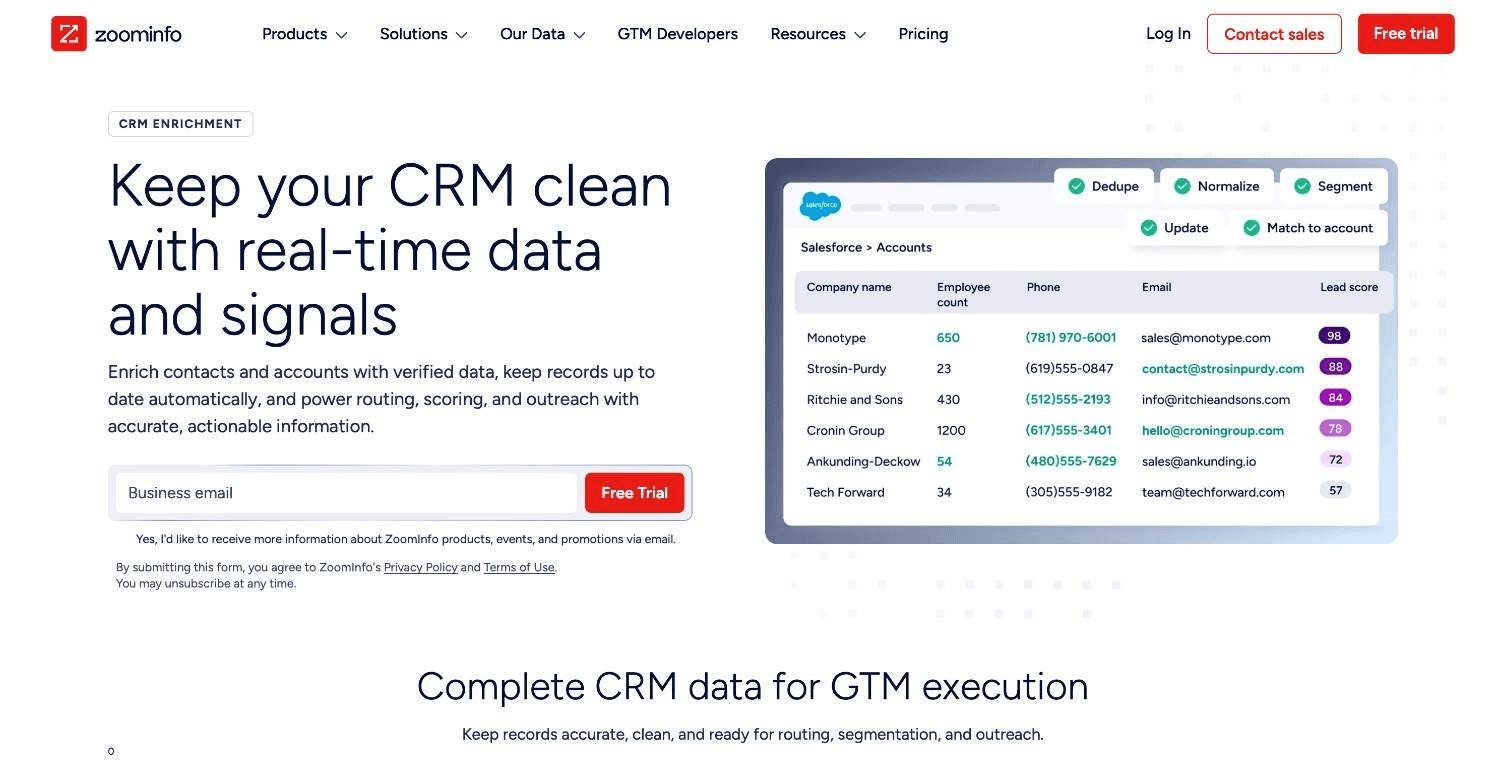
ZoomInfo enriches CRM records with firmographics, technographics, corporate hierarchy data, buyer intent signals, and real-time alerts for tracked accounts. It connects natively to Salesforce, HubSpot, and most enterprise CRMs.
Ideal for
Enterprise sales organizations (250+ employees) with global territory coverage and complex account hierarchies
Teams running ABM motions that need deep account intelligence across hundreds of target accounts simultaneously
Revenue teams that need intent data, corporate hierarchy mapping, and multi-contact coverage on the same subscription
Top features
321M+ profile database with 100% firmographic fill rates: ZoomInfo's rules-based verification engine cross-references 60+ data vendors to produce high fill rates on core fields such as industry, revenue, employee count, and NAICS codes.
Scoops and intent data: ZoomInfo tracks executive changes, technology installations, hiring patterns, and web research activity to surface accounts showing buying signals. Intent data is delivered as a scored list of accounts to prioritize.
Corporate hierarchy mapping: ZoomInfo tracks parent companies, subsidiaries, and location-level org charts across 104M companies. Critical for enterprise ABM motions where territory management requires knowing which subsidiary reports to which parent.
Why they stand out
ZoomInfo outspends most competitors on data accuracy, and the coverage reflects that. If you need a single, trusted data source with full firmographic and corporate hierarchy data, it's one of the most complete options available at enterprise scale.
Pros
Largest contact and company database available for B2B
Corporate hierarchy data for complex enterprise ABM motions
Native integrations with Salesforce, HubSpot, and most enterprise CRMs
Intent data and Scoops for real-time account intelligence
Cons
Pricing starts at approximately $14,995/year and scales steeply, making it unworkable for teams under 20 seats.
Contract terms are typically annual with limited flexibility
Data freshness can lag on smaller companies and international markets outside the US and Western Europe
Contact-level phone accuracy is mixed compared to dedicated phone enrichment tools
Pricing
Custom enterprise contracts. Publicly reported entry point: approximately $14,995/year for basic access. Most mid-market teams report spending $25K–$60K/year depending on seats and modules.
Final verdict
ZoomInfo is the right fit for enterprise sales teams that need global coverage, corporate hierarchy data, and intent signals at scale. If you're under 50 seats or don't have a global territory motion, the price is hard to justify. Most growth-stage teams get equivalent enrichment through Clay plus targeted providers at a fraction of the cost.
4. Clearbit (HubSpot Breeze Intelligence)
Overview
Clearbit was acquired by HubSpot in 2024 and rebranded as Breeze Intelligence. It adds 100+ B2B data attributes from 250+ sources to HubSpot records, refreshed on a 30-day cycle. It also handles form shortening, auto-filling known fields on HubSpot landing pages to cut form abandonment.
Ideal for
HubSpot-native teams that want automated, continuous CRM data enrichment without building a Clay workflow
Marketing operations teams running gated content who need to shorten forms while capturing more data
Teams whose primary enrichment need is keeping existing HubSpot records current, not building new outbound lists
Top features
Real-time record enrichment with 30-day refresh: Clearbit/Breeze enriches HubSpot contact and company records automatically across fields like industry, company size, revenue range, technology stack, job role, seniority, and location. The 30-day cycle refreshes everything automatically.
Form shortening: HubSpot landing pages can auto-fill known fields when a returning visitor loads the form, reducing the number of required questions. This can improve form conversion rates for gated content.
Lead routing and scoring via enriched fields: Enriched attributes feed directly into HubSpot workflow logic. An inbound lead from a 500-person Series B SaaS company routes differently than a contact from a 10-person pre-seed startup.
Why they stand out
Clearbit/Breeze is one of the best options for HubSpot teams that want enrichment running automatically in the background, without building or maintaining a separate workflow. The integration is native, so setup is straightforward compared to a full Clay implementation.
Pros
Native HubSpot integration with zero additional infrastructure required
30-day automatic refresh cycle keeps CRM data current
Form shortening improves inbound conversion rates
100+ attributes from 250+ sources, including technographic and seniority data
Cons
Primarily useful for HubSpot users; limited value for Salesforce-first teams
Not a prospecting or list-building tool; enriches existing records only
Coverage on smaller companies and international contacts is thinner than enterprise providers
Pricing is bundled into higher HubSpot tiers, making standalone cost difficult to evaluate
Pricing
Included in HubSpot Marketing Hub and Sales Hub at Enterprise and Professional tiers. Standalone Breeze Intelligence credits sold separately; entry-level pricing starts around $45/month for 100 credits.
Final verdict
Clearbit/Breeze Intelligence is the right choice for HubSpot teams that want continuous, automated CRM enrichment without maintaining a separate tool. It doesn't replace Clay for complex waterfall logic or custom signal enrichment, but it keeps CRM records fresh after they're added, with minimal setup.
5. Cognism
Overview
Cognism is a B2B contact and company data tool focused on GDPR compliance, European market coverage, and phone-verified contacts. It's built for sales teams that need accurate mobile numbers and data that meets EU privacy requirements.
Cognism's Diamond Data standard includes phone-verified mobile numbers, a step beyond most providers that deliver unverified numbers from database cross-referencing. It also includes intent data through a Bombora partnership and technographic data through Datanyze.
Ideal for
Enterprise sales teams with heavy European market coverage where GDPR compliance is non-negotiable
Teams that run phone-based outreach and need verified mobile numbers, not just database-sourced numbers
B2B teams targeting senior decision-makers who are underrepresented in standard contact databases
Top features
Diamond Data phone-verified contacts: Cognism manually verifies a subset of mobile numbers through direct call verification, not just database cross-referencing. This produces higher connect rates for phone-based outreach.
GDPR-compliant data with DNC list integration: Cognism maintains Do Not Call list integrations across multiple countries. For teams selling into European markets, this reduces compliance risk.
Buyer intent data via Bombora: Cognism integrates Bombora's intent signals, tracking account-level web research activity to surface companies actively researching relevant topics.
Why they stand out
Cognism is one of the strongest options for sales teams that need phone-verified contacts and EU/UK market coverage. If you're US-focused with no phone outreach motion, the case for Cognism weakens; their US contact database is smaller than ZoomInfo or Apollo.
Pros
Phone-verified mobile numbers for higher connect rates on cold calls
GDPR and DNC compliance built in, reducing legal risk for European market coverage
Strong UK and European market contact depth
Bombora intent data included for account prioritization
Cons
Database is smaller than ZoomInfo and Apollo for US contacts
Custom pricing with no public rate card; requires a demo and negotiation
Best value for teams running phone-based outreach; email-only teams get less differentiation
Minimum contract sizes can be prohibitive for smaller teams
Pricing
Custom pricing. No public rate card. Reports from practitioners suggest starting contracts around $15K–$25K/year for small teams, scaling with seats and markets. Requires a demo to receive a quote.
Final verdict
Cognism is the right choice for enterprise and mid-market sales teams with significant European market coverage or phone-based outreach. If you're US-focused doing email-only outreach, other providers deliver comparable enrichment at lower cost.
6. Lusha
Overview
Lusha is a contact data tool focused on quick, verified access to emails and phone numbers, primarily through a Chrome extension that overlays LinkedIn profiles with contact data. It's one of the most widely used tools for individual sellers who need contact information fast without leaving their prospecting workflow.
Lusha maintains ISO 27001 and GDPR certifications and doesn't offer waterfall logic or custom enrichment pipelines.
Ideal for
Individual sellers who need quick contact lookup while prospecting on LinkedIn
Small SDR teams that want to supplement a CRM without building complex enrichment infrastructure
Teams in GDPR-regulated markets that need compliance-verified contact data on a limited budget
Top features
Chrome extension with LinkedIn overlay: Find verified email and phone for any LinkedIn profile in one click. The extension works across LinkedIn, Sales Navigator, and Recruiter without leaving the tab.
Bulk enrichment: Upload a CSV of names and companies and get enriched contact data back. Faster to set up than Clay for one-time enrichment runs.
GDPR and ISO compliance: Lusha maintains certifications and a DNC scrubbing process for regulated markets.
Why they stand out
Lusha is one of the most accessible options for individual reps who need contact enrichment on demand, without a RevOps engineer to configure it. The Chrome extension is the fastest path from a LinkedIn search to a verified email.
Pros
One of the lowest starting price points ($14.95/month annually) in the verified contact space
Chrome extension integrates directly into LinkedIn prospecting workflow
GDPR and ISO compliance for regulated market coverage
Minimal learning curve
Cons
Database accuracy and phone coverage are weaker than enterprise providers like Cognism.
No waterfall enrichment, signal data, or custom enrichment logic
Not suited for bulk enrichment at scale (1,000+ records per run)
No native CRM push on entry-level plans
Pricing
Free plan: 5 contacts/month. Pro: $14.95/user/month (annual). Premium: $49.95/user/month. Scale: custom. Annual billing required for lowest rates.
Final verdict
Lusha is the right entry-level tool for individual reps who need on-demand contact lookups during LinkedIn prospecting. If you're enriching more than a few hundred contacts per month and pushing results back to a CRM, you'll need Clay or a more complete pipeline.
7. Hunter.io
Overview
Hunter.io finds and verifies professional email addresses at company domains. Type in a domain and you get back a list of verified emails with confidence scores and job titles attached. It's the most widely used tool for this specific job.
Hunter isn't a CRM enrichment tool or a prospecting database. It's built specifically for finding and verifying emails, and it does that reliably at low cost.
Ideal for
Sales teams building target account contact lists by company domain
Outbound teams that need to verify emails before loading them into a sequencer
Marketing teams enriching event lists or inbound leads with verified professional emails
Budget-conscious teams that need clean email data without a full database subscription
Top features
Domain search: Enter any company domain and retrieve a list of verified professional email addresses associated with it, along with confidence scores, job titles, and sources. Useful for building contact lists at specific target accounts without LinkedIn.
Email verifier: Verify any email address individually or in bulk before sending. Hunter's verifier checks SMTP validity, catches catch-all domains, and flags invalid addresses. Running this before you load contacts into a sequencer cuts bounce rates.
Bulk email finder: Upload a CSV of first name, last name, and company domain columns and receive verified email addresses back. Faster than individual searches for high-volume list building.
Why they stand out
Hunter.io is one of the most reliable options for domain-based email discovery and verification at a low entry-level price. The free plan (25 searches/month) lets you test before committing. If your primary enrichment need is finding professional emails at target accounts, Hunter delivers strong accuracy without unnecessary complexity.
Pros
Domain search returns all professional emails at a target company, useful for account-based prospecting.
Email verifier cuts bounce rates before outreach launches
Free plan available with 25 monthly searches
Simple interface with minimal configuration required
Cons
Email-only; no phone numbers, company firmographics, or signal data
No waterfall logic or multi-source enrichment
Database coverage is smaller than Apollo or ZoomInfo for contact-level prospecting.
No native push to HubSpot or Salesforce on entry-level plans
Pricing
Free: 25 searches/month. Starter: $34/month for 500 searches. Growth: $104/month for 5,000 searches. Business: $349/month for 50,000 searches. Annual billing provides discounted rates.
Final verdict
Hunter.io is the right tool if you need clean, verified professional emails at target accounts and want to get started without a database subscription. It doesn't replace a full data enrichment stack; it handles the email layer cleanly, and pairs well with BetterContact for phone and Sumble for signals.
8. BetterContact
Overview
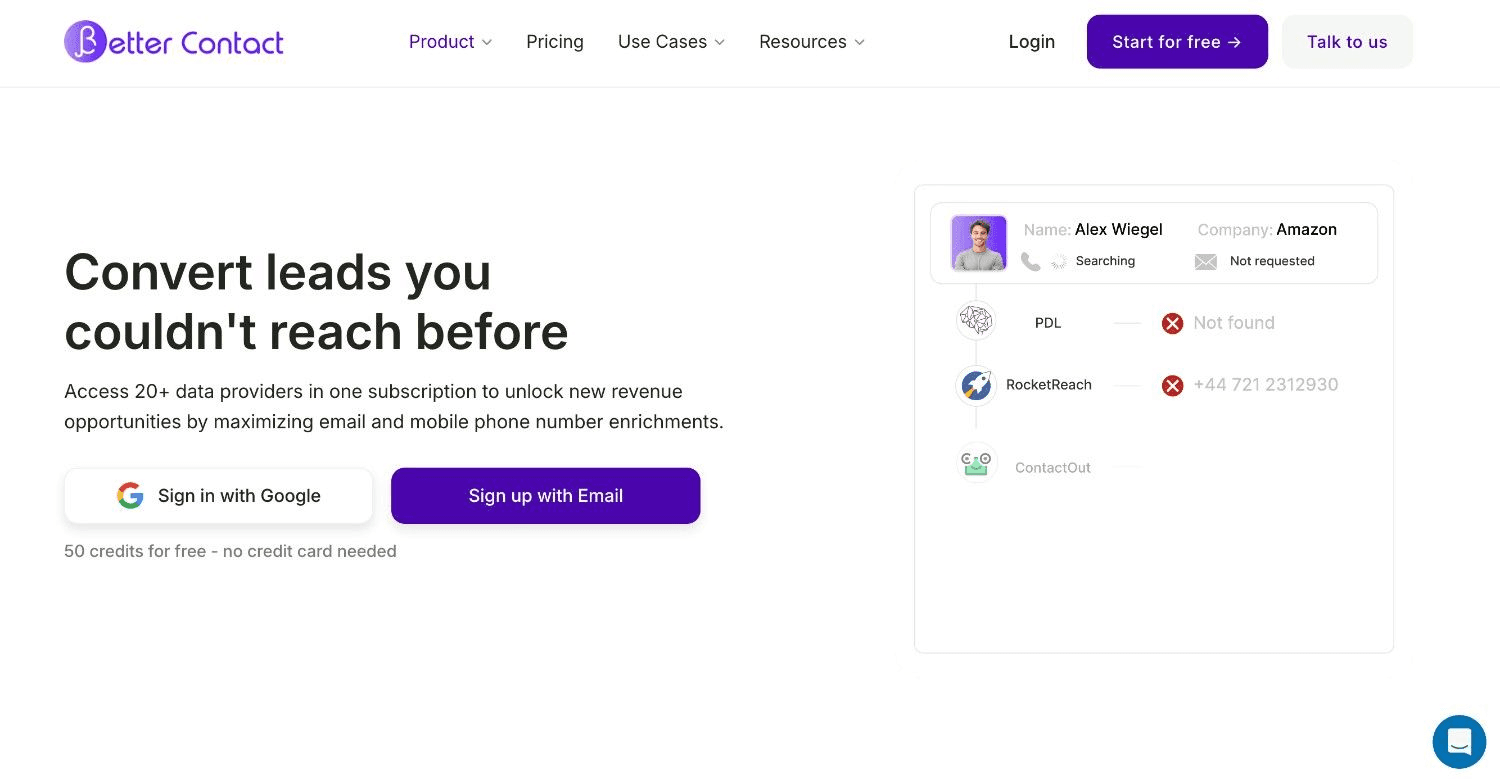
BetterContact is a waterfall phone and email enrichment tool that runs across 15+ data providers to reach the highest fill rates on contact-level data. It was built for the problem Clay users run into most often. You have a list of names and companies, you need verified emails and mobile numbers, and no single provider covers all of them.
BetterContact is Clay-native; it integrates directly as a Clay enrichment source and runs its waterfall logic without requiring individual provider connections to be configured.
Ideal for
BDR teams running phone-based outbound that need mobile numbers with high coverage rates
RevOps engineers building Clay automation workflows who need a single connection for multi-source contact waterfall
Teams where Apollo or Lusha regularly return blank results on phone numbers
Top features
15+ source waterfall for phone and email: BetterContact queries multiple providers in sequence and returns the first verified result. Fill rates outperform single-source providers for phone numbers, particularly mobile numbers for senior decision-makers.
Clay-native integration: Add BetterContact as a Clay enrichment column with a single connection. BetterContact handles the waterfall logic internally and returns verified results to Clay without custom API configuration.
Pay-per-valid-result pricing: BetterContact charges per verified result returned, not per lookup attempt. This aligns cost with enrichment success rate.
Why they stand out
Phone number enrichment is the specific gap BetterContact fills. Single-source providers leave a significant portion of phone lookups blank, particularly for mobile numbers of senior decision-makers. BetterContact's multi-source waterfall covers those gaps by querying additional providers when the first returns nothing.
Pros
Higher mobile phone fill rates than single-source providers
Clay-native integration simplifies implementation
Pay-per-valid-result aligns cost with enrichment quality
Covers both email and phone enrichment in one connection
Cons
Primarily a contact enrichment tool, with no company-level or signal enrichment
Not a standalone prospecting tool (requires a source list)
Pricing at scale requires monitoring to avoid unexpected credit consumption
Pricing
Plans from $29/month for limited credits. Volume pricing available. Credit costs vary by result type (email vs. mobile). Contact BetterContact for enterprise rates.
Final verdict
BetterContact is a necessary addition to any Clay enrichment table that includes phone outreach. Paired with Clay waterfall logic, it outperforms what single-source providers return on mobile numbers.
9. Prospeo.io
Overview
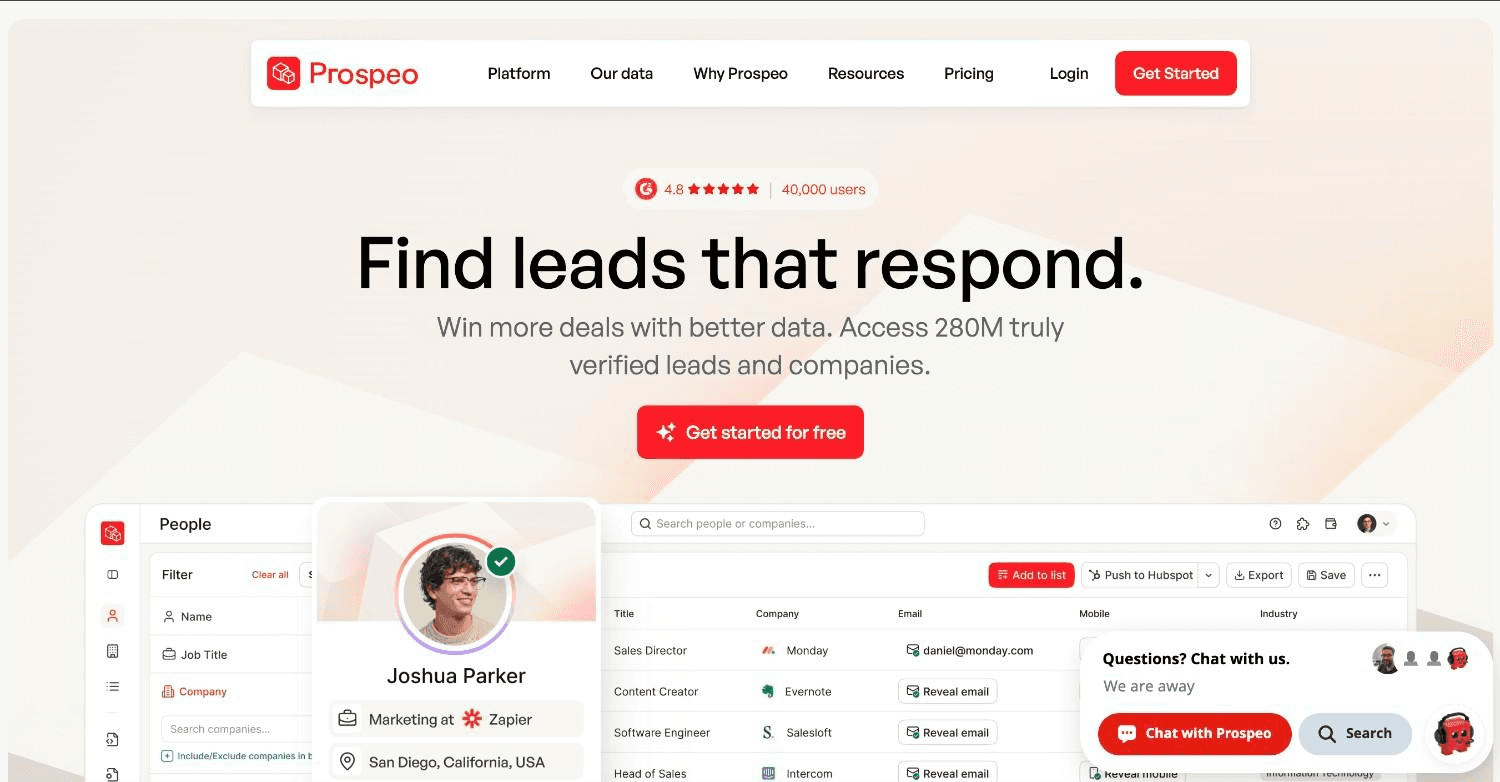
Prospeo is an email enrichment tool focused on LinkedIn-based lead generation and domain search. It's designed for teams that export LinkedIn search results and need verified, deliverable email addresses returned, a cleaner alternative to manual LinkedIn scraping. It integrates with Clay and works well as a lightweight email enrichment source in a waterfall stack.
Ideal for
Sales teams that prospect primarily on LinkedIn and need to enrich profiles with verified emails at scale
RevOps engineers building Clay tables who need a reliable, cost-efficient email enrichment source
Teams running domain-based enrichment ("give me all verified emails at this company domain")
Top features
LinkedIn Sales Navigator export with email enrichment: Export LinkedIn search results and enrich each profile with a verified email. The extension and CSV workflow combine prospecting with enrichment in one step.
Domain search: Enter a company domain and retrieve verified professional emails at that company. Useful for building contact lists at specific target accounts without a LinkedIn search.
Email validation: Prospeo validates results before returning them, filtering out catch-all addresses that would inflate deliverability risk.
Why they stand out
Prospeo is a strong, cost-effective option if your primary enrichment need is verified emails from LinkedIn-sourced contacts. Its credit pricing is lower than most alternatives for the same enrichment action.
Pros
Cost-effective email enrichment for LinkedIn-sourced contacts
Domain search enables building contact lists by account
Email validation cuts bounce risk before outreach
Clay integration for waterfall inclusion
Cons
Email-only; no phone enrichment
Contact coverage is thinner outside well-represented LinkedIn markets
No signal data or company-level enrichment capabilities
Doesn't cover personal email de-anonymization
Pricing
Free trial available. Starter: $39/month for 1,000 credits. Pro and Business tiers for higher volume. Annual discounts apply.
Final verdict
Prospeo is a solid email enrichment source to include in a Clay waterfall, particularly for LinkedIn-heavy prospecting workflows. Pair it with BetterContact for phones and Sumble for signal data.
10. Sumble
Overview
Sumble is a signal enrichment tool that surfaces job posting data and technology stack intelligence. It tracks what software and tools companies are actively hiring for, a strong proxy for where a company is investing that isn't available in standard firmographic databases.
Sumble gives you non-standard signals: not just what tech stack a company currently uses, but what tools they're actively evaluating or expanding based on open job descriptions.
Ideal for
Revenue teams selling into specific technology categories who want to know which companies are actively investing in their space
GTM engineers building signal-based outbound pipelines that go beyond standard firmographic triggers
Teams that use hiring signals as ICP fit and intent criteria alongside standard enrichment
Top features
Job posting signal tracking: Sumble indexes job descriptions and surfaces signals such as which companies are hiring for skills that indicate adoption of specific technologies, expansion of specific teams, or investment in specific business functions.
Tech stack identification from job signals: Rather than relying only on technographic databases that reflect current installations, Sumble's job signal layer reflects where a company is actively investing next. A company hiring for Salesforce Admin roles before they have Salesforce is a stronger forward-looking signal than a company already using it.
ICP enrichment for hiring-signal-based outbound: For companies whose ICP includes a specific function (RevOps, SDR, marketing automation), job posting signals act as a real-time intent layer. When a target account posts their third RevOps hire in 30 days, that's a buying signal worth acting on immediately.
Why they stand out
Sumble covers a specific enrichment need that no standard database handles well: forward-looking intent signals derived from hiring activity. For revenue teams selling into GTM, RevOps, or technology buyer segments, this data layer is relevant in a way that standard firmographics aren't.
Pros
Job posting signals as forward-looking intent, not just current tech stack
Useful for teams selling to technical or function-specific buyers
Complements standard firmographic enrichment with behavioral signal data
Integrates with Clay for signal-based outbound triggers
Cons
Not a general-purpose enrichment tool; narrower use case than database providers
Custom pricing with no public rate card
Coverage varies by company size and geography
Requires Clay or similar orchestration to be actionable in a CRM workflow
Pricing
Custom pricing. Contact Sumble directly for rates. Best suited for teams running 500+ signal lookups per month.
Final verdict
Sumble is a worthwhile addition to a mature enrichment stack if your ICP research relies on hiring signals. Add it after the foundational enrichment layer (Clay plus a contact provider) is operational, and you need a differentiated signal source for outbound prioritization.
How To Choose The Best Data Enrichment Tools
Not every tool fits every team. These five factors help narrow the field based on your data needs, stack, and volume.
1. Identify what type of data you actually need
The most common enrichment mistake is buying a general-purpose database and expecting it to solve a specific problem. Before evaluating any data enrichment services or tools, map your enrichment needs to four categories.
Company fields (domain, employee count, revenue range, industry, LinkedIn URL, founding year) are consistent across most providers. Apollo, ZoomInfo, Clearbit, and Clay's native sources all cover them reliably.
Contact fields (email, phone, LinkedIn URL, job title, seniority): email is reliable from most providers. Phone numbers vary dramatically. Mobile phone coverage requires a waterfall approach (BetterContact) or a phone-specialized provider (Cognism). Classifying seniority accurately takes an AI layer on top of raw job titles, because "VP" at a 10-person startup and "VP" at a 5,000-person enterprise mean different things.
CRM-specific fields (state codes, country codes, address normalization, company-to-contact linkage) require conditional logic because different CRMs store them in different formats. A Clay workflow with conditional formatting handles this more reliably than a single-tool provider.
Signal enrichment (traffic growth, job changes, hiring signals, funding rounds, new executive hires) requires pulling from multiple specialized sources. Clay is the orchestration layer. Sumble, Reo.dev, and web traffic APIs are the sources. No single database lookup covers this layer.
2. Evaluate CRM integration depth
An enrichment tool that doesn't write back to your CRM reliably is enrichment that stays in a CSV. Before committing to a tool, confirm whether it pushes data to your CRM on a schedule or only on a manual trigger. Ask whether it updates existing records or creates duplicate contacts. Confirm it supports conditional logic, meaning it updates a field only if it's currently blank.
This is where most cheap enrichment tools fail. They deliver data to a dashboard or CSV. Getting that data into CRM fields, mapped correctly, without creating duplicates, is the integration work. Clay automation workflows handle this with conditional column logic and CRM push mapping. Most single-tool solutions don't.
3. Single-source vs. waterfall enrichment
Every data enrichment provider has gaps. A contact that Apollo doesn't have a mobile number for might be in BetterContact or Lusha. A company email that Prospeo misses might be in Hunter.io or Apollo.
Single-source enrichment runs one provider and accepts gaps. Waterfall enrichment runs multiple providers in sequence and fills gaps from whichever source returns a verified result.
If you're enriching more than a few hundred records per month, waterfall logic is worth building. The Clay GTM case studies show real examples of how waterfall logic reduces per-record cost while improving fill rates.
4. Understand the cost structure
Data enrichment billing models vary significantly:
Per-record/credit models (ZoomInfo, Clearbit, Clay native credits): Charge you per enriched record. Cost scales with volume. Efficient for high-fill-rate enrichment; expensive for low-fill-rate lookups.
Subscription + credit models (Apollo, Lusha, Prospeo, Hunter.io): Include a monthly subscription with a fixed credit allotment. Predictable cost. Overage charges apply.
Usage-based with BYOK (Clay): Removes the data credit markup when you connect your own API keys. AI enrichments through your own Anthropic or OpenAI key cost 80–95% less than running through Clay's default credit system.
Custom contract models (ZoomInfo, Cognism, Sumble): Annual contracts negotiated based on seats, markets, and modules. Cost is opaque until you do a demo.
Run those numbers, and ZoomInfo's per-record cost is often 10–30x higher than a Clay waterfall across targeted providers at the same fill rate.
5. Plan for custom vs. out-of-the-box fields
Standard enrichment fields (domain, employee count, revenue, LinkedIn URL, job title, email) are table stakes. Every major provider covers them. The real differentiation in enrichment quality comes from custom fields.
Does a company follow any of your competitors on LinkedIn? Has their headcount grown 20%+ in six months? Are they posting job openings with your buyer persona's title? Has a contact at this account changed jobs in the last 90 days and moved to a company in your ICP?
None of these come from a single database. They require Claygent AI calls, job signal data from Sumble, job-change detection from BetterContact or Prospeo, and web scraping for custom signals, all coordinated in one table with conditional logic that decides what gets written back to the CRM and what triggers an outbound sequence. Building this kind of enrichment architecture is what separates a clean CRM from a data-driven ICP built on live signals. Getting there requires more than picking the right tools.
Everything You Need To Know About Data Enrichment Tools
This table summarizes how each tool performs across six dimensions. Ratings reflect real-world implementation experience, not vendor claims.
Company | Pros | Cons | Ease of use | Integrations | Support | Affordability |
Clay | Waterfall logic; 150+ providers; Claygent AI | Steep learning curve; credits scale fast | ⭐⭐⭐ | ⭐⭐⭐⭐⭐ | ⭐⭐⭐⭐ | ⭐⭐⭐ |
Apollo.io | All-in-one; free plan; intent data | Single-source; international coverage weak | ⭐⭐⭐⭐⭐ | ⭐⭐⭐⭐ | ⭐⭐⭐⭐ | ⭐⭐⭐⭐ |
ZoomInfo | Largest database; corporate hierarchy; intent | Expensive; enterprise contracts only | ⭐⭐⭐⭐ | ⭐⭐⭐⭐⭐ | ⭐⭐⭐⭐ | ⭐ |
Clearbit / Breeze | HubSpot-native; 30-day refresh; form shortening | HubSpot-focused; no prospecting capability | ⭐⭐⭐⭐⭐ | ⭐⭐⭐⭐ | ⭐⭐⭐ | ⭐⭐⭐ |
Cognism | Phone-verified contacts; GDPR; EU coverage | Custom pricing; smaller US database | ⭐⭐⭐⭐ | ⭐⭐⭐⭐ | ⭐⭐⭐⭐ | ⭐⭐ |
Lusha | Low starting price; LinkedIn Chrome extension | Weaker database at scale; no waterfall | ⭐⭐⭐⭐⭐ | ⭐⭐⭐ | ⭐⭐⭐ | ⭐⭐⭐⭐⭐ |
Hunter.io | Domain email search; bulk verification; free plan | Email-only; no phones or signal data | ⭐⭐⭐⭐⭐ | ⭐⭐⭐⭐ | ⭐⭐⭐ | ⭐⭐⭐⭐⭐ |
BetterContact | Best mobile fill rates; Clay-native; pay-per-result | Contact-only; requires a source list | ⭐⭐⭐⭐ | ⭐⭐⭐⭐⭐ | ⭐⭐⭐ | ⭐⭐⭐⭐ |
Prospeo.io | Cost-effective email enrichment; domain search | Email-only; no phone or signal data | ⭐⭐⭐⭐⭐ | ⭐⭐⭐⭐ | ⭐⭐⭐ | ⭐⭐⭐⭐⭐ |
Sumble | Hiring signal + forward-looking tech intent | Narrow use case; custom pricing | ⭐⭐⭐ | ⭐⭐⭐ | ⭐⭐⭐ | ⭐⭐ |
When Data Enrichment Tools Aren't Enough
The real constraint for most teams is the absence of someone to build the system, not which tools they're using.
Most growth-stage B2B teams have already spent money on these tools. Clay, HubSpot or Salesforce, Apollo, sometimes ZoomInfo. What they're missing is the architecture connecting them.
Clay automation agencies deliver table builds and list exports. A fractional GTM engineer is different, embedded in your stack and building connected systems your team runs independently after the engagement ends. The technical symptoms that point to this gap:
The Clay table runs on a schedule, but enriched records don't sync back to the right CRM fields
Conditional logic is missing, so enrichment updates fields that already have data instead of filling only the gaps
Contact decay detection isn't running, so 40–60% of your contacts have gone stale without anyone noticing
The signal layer doesn't exist, so no outbound sequence fires when a target account posts the right job title
Four signs you need implementation help rather than another tool subscription:
Enrichment ran once and stopped: It ran during a CRM migration, never again. Records enriched 18 months ago are stale, and no one owns the process.
Clay tables have no documentation: A contractor built them, left, and took the logic with them. No Loom, no SOP, no one on the team knows how the table works or why.
A new RevOps leader is still auditing: 90 days in, still mapping what's broken before deciding what to build. The mandate exists; the build capacity doesn't.
Tools are active but disconnected: Company fields enriched in Clay aren't syncing to contact records in Salesforce. Apollo data isn't feeding the scoring model. Outputs from three tools live in three places, none of them the CRM.
Adding another tool subscription compounds the problem. What's needed is someone who builds the system inside your existing stack, documents every piece, and hands it off so your team runs it independently. A fractional GTM engineer fills that role, embedded in your CRM, working in weekly sessions until the system is built and documented.
Build Your Enrichment Infrastructure With The GTM Engineering Company
Every team we've worked with already had Clay, HubSpot, Apollo, sometimes ZoomInfo. What they were missing was the system that connected those tools.
40–60% of CRM contacts are already stale. Job titles change, people leave companies, and funding rounds happen. The data enrichment tools in this guide track those events. But they only work if someone builds the infrastructure to capture those signals, route them to the right CRM fields, and trigger the right outbound sequences when a signal fires.
The GTM Engineering Company builds that infrastructure inside your CRM, in weekly working sessions with your team, with every Clay table documented with a Loom walkthrough and an SOP your team owns after the engagement ends. Building the right architecture around your existing tools is where the actual work is.
Fluint turned 53% contact decay across 10,000 contacts into a job-change outbound trigger that generated a CCO-level enterprise demo in week 1. Slate processed 18,000 leads for approximately $38 by routing classification through OpenAI directly. Both results came from architecture, not from buying another tool.
By day 30, you have a documented punch list, a working golden enrichment table, and at least one live signal flowing into your CRM. Request a 30-day audit
Frequently Asked Questions (FAQs)
What is the best data enrichment tool in 2026?
Clay is the most capable option if you have a technical RevOps or GTM engineering resource, with 150+ providers, waterfall logic, and AI enrichment in one tool. For email-only enrichment on a budget, Hunter.io or Prospeo are the cheapest starting points. Enterprise teams with global territory needs should look at ZoomInfo or Cognism. Most real-world stacks combine two or three tools rather than relying on one.
What should I consider when choosing the right data enrichment tool for me?
Four things matter most: what type of data you need (company, contact, or signal), how well the tool pushes data back to your CRM, whether you need a waterfall across multiple providers or a single-source lookup, and the cost per successfully enriched record, not just the subscription price. If you're enriching more than 1,000 records per month, a Clay waterfall is usually cheaper per record than any single-source tool at the same fill rate.
How does The GTM Engineering Company differ from data enrichment tools?
The GTM Engineering Company isn't a data enrichment tool. It's a fractional GTM engineering service that builds the architecture connecting tools like Clay, BetterContact, Prospeo, and Sumble. The tools supply the data; The GTM Engineering Company decides which fields to enrich, from which source, in what order, and what triggers an outbound sequence when a signal fires. Everything ships with a Loom walkthrough and an SOP the client team owns.
How do I get started with The GTM Engineering Company?
Book a free call to start. The first 30 days include a CRM audit, a documented punch list, a working golden enrichment table, and at least one live signal flowing into the CRM.
How easy is it to switch to a different data enrichment tool?
Switching is straightforward for contact-level tools like Lusha, Prospeo, or Hunter.io since data is exported as a CSV or pushed to CRM fields that aren't tool-dependent. Enterprise tools like ZoomInfo involve annual contract terms that require negotiation to exit early. Clay-based enrichment tables can be updated to swap providers at the column level; changing a ZoomInfo enrichment source to a BetterContact waterfall is a configuration change, not a rebuild. The biggest switching cost is usually CRM field mapping and testing, not the tool connection itself.
Can I use multiple data enrichment tools together?
Yes, and for most real enrichment stacks, you should. No single provider covers all contact and company fields at acceptable fill rates. The standard setup is Clay as the orchestration layer, with Apollo or ZoomInfo for company data, BetterContact or Cognism for phones, Prospeo or Hunter.io for emails, and Sumble for hiring signals.
What is the difference between CRM enrichment and lead enrichment?
CRM data enrichment updates records already in your system, filling in stale or missing fields. Lead enrichment adds data to new records as they enter your pipeline from forms, lists, or event exports. A complete enrichment setup does both: enriches new records on intake and re-enriches existing ones on a schedule.