

Key Takeaways (TL;DR)
A high-integrity sales pipeline focuses on active deal progression rather than mere activity tracking to ensure accurate forecasting, cleaner data, and faster sales velocity.
Adopt a Three-Stage Framework: Simplify your process into Qualification, Deal in Progress, and Closed Won/Lost. This reduces the cognitive load on reps, improves CRM compliance, and provides a clearer view of true momentum.
Strict Entry Criteria: Only move opportunities into the pipeline after a completed first call and documented interest. Keep early-stage engagement and cold prospects in the marketing funnel to prevent forecast inflation.
Eliminate Graveyard Stages: Use a binary "Won or Lost" approach. If a deal stalls, loses its champion, or goes dark, close it out to maintain data integrity rather than parking it in a "maybe" or "on hold" stage that obscures reality.
Automate Hygiene: Implement mandatory CRM fields at each stage transition and use automated workflows to flag deals that lack critical discovery data or have sat stagnant for 30+ days.
Separate Activities from Stages: Use tasks and activity logs to track granular actions like product demos and proposals to keep your three-stage framework clean. Reserve pipeline stages exclusively for major, verifiable shifts in the buyer's journey and decision-making process.
What Is a Sales Pipeline?
A sales pipeline is a structured view of qualified, active opportunities moving toward a purchase decision. It serves as a visual representation of your sales process, tracking each prospect's journey from the initial point of qualification to the final close.
To maintain a clear and accurate pipeline, it is helpful to distinguish these opportunities from cold prospects. A practical qualification threshold for most teams is a completed first call combined with demonstrated interest, rather than just engaging with marketing materials like whitepapers or emails. They might get there, but until they do, they belong in a different system.
This definition matters because your pipeline drives forecasting. When you include prospects who haven't shown real interest, your forecast inflates. Reps chase deals that were never real.
Sales Pipeline vs. Sales Funnel vs. Marketing Funnel
Marketing Funnel Stages
The marketing funnel is designed to track awareness and engagement, and it should remain in a separate system to avoid reporting chaos. While marketing focuses on reach and initial interest, sales focuses on qualification and deal progression.
Including marketing milestones, such as "Joined Newsletter," "Downloaded Whitepaper," or "Attended Webinar," as pipeline stages incorrectly tracks activity rather than actual sales progress. These are indicators of interest, not intent to buy, and they have not yet passed the formal sales qualification steps required to become an opportunity.
By keeping these stages separate, you ensure that your sales pipeline remains a high-integrity zone. Marketing can continue to nurture leads through automated sequences and content engagement without inflating the sales forecast or distracting reps with prospects who aren't ready for a conversation. Only when a lead crosses a specific threshold of intent should it be considered for a handoff to the sales environment. For a complete breakdown of how to generate qualified leads before they hit your pipeline, see our guide to B2B outbound lead generation strategies.
Sales Funnel vs. Sales Pipeline
The sales funnel includes all prospects your team touches, whether qualified or not. Your pipeline includes only qualified opportunities. The difference is the handoff point.
Think of the funnel as the entire universe of potential customers. Your pipeline is the subset that meets your qualification criteria and deserves active sales attention. The funnel is broad and includes early-stage exploration. The pipeline is narrow and includes only deals worth forecasting.
This distinction prevents a common mistake: treating every inbound lead as a pipeline opportunity. Just because someone filled out a form doesn't mean they're qualified. Until you confirm they meet your ICP and have genuine interest, they stay in the funnel, not the pipeline.
The Handoff Point: MQL to SQL
The handoff happens when a marketing-qualified lead becomes a sales-qualified opportunity. In practice, this is the first meaningful conversation where you confirm ICP fit and buying interest.
Use separate CRM objects to prevent data confusion. Contacts and Leads track marketing funnel progression. Opportunities track sales pipeline progression. When you try to use one object for both, you end up with fields that don't make sense (Why does this cold prospect need a "Close Date"?) and reports that mix apples and oranges.
The technical implementation matters. If your CRM forces you to create an Opportunity record before the first call, you're already compromising pipeline integrity. Find a platform that lets you track marketing stages separately from sales stages, or accept that your forecast will always be inflated
Comparison of Funnels and Pipeline
Feature | Marketing Funnel | Sales Funnel | Sales Pipeline |
What it tracks | Awareness & engagement | All prospects touched by sales | Qualified, active opportunities only |
Entry point | First interaction (ad, content, etc.) | Any sales contact attempt | Completed first call + documented interest |
CRM object | Contacts/Leads | Mixed | Opportunities/Deals |
Purpose | Generate interest & MQLs | Broad prospecting visibility | Forecasting & deal management |
Includes cold prospects? | Yes | Yes | No |
Used for revenue forecast? | No | Risky | Yes |
The Core Philosophy: Active Opportunities Only
Your pipeline should contain active opportunities only. Active means the prospect is engaged, responding to outreach, and moving through your sales process. If they've gone dark, the opportunity should be closed lost, not parked in a "Stalled" stage.
Graveyard stages like "On Hold," "Stalled," or "Thinking About It" destroy pipeline integrity. They let reps avoid admitting a deal is dead. They inflate your forecast with opportunities that will never close. They make it impossible to calculate accurate sales velocity because deals sit in these stages for months.
The binary approach is simple: opportunities are either active or closed. If a prospect needs more time, close the opportunity as lost with the reason "Timing not right." If circumstances change and they come back, create a new opportunity. This forces honest pipeline hygiene and faster decision-making.
This philosophy feels harsh at first. Reps resist closing deals they think might revive. But the data tells the truth: deals that sit in "Stalled" for 30+ days close at under 5%. You're not losing real opportunities by closing them lost – you're clearing dead data that prevents you from seeing your actual pipeline health.
The practical benefit is cleaner reporting. When every opportunity in your pipeline is active, your forecast reflects reality. Your sales velocity metrics measure actual progression, not how long deals sit in purgatory. Your conversion rates show true qualification effectiveness, not inflated numbers from deals that should have been closed months ago.
How to Structure Your Sales Pipeline: The Three-Stage Framework
Overview of Three-Stage Model
The minimal viable pipeline structure is three stages: Qualification → Deal in Progress → Closed Won/Lost. That's it.
Qualification is where you confirm ICP fit, understand their situation, and determine if there's a real opportunity. Deal in Progress covers everything from presentation through negotiation. Closed Won/Lost captures the binary outcome.
This model reduces complexity without sacrificing insight. You know which deals are still being qualified, which are actively being worked, and which are decided. You can measure conversion rates between stages and time spent in each stage. You can forecast based on stage and historical win rates.
Why Three Stages?
Three stages are easier to enforce than eight. Sales reps spend 70% of their time on non-selling tasks. When you have "Prospecting, Qualification, Needs Analysis, Proposal, Negotiation, Verbal Commitment, Contract Sent, Closed Won," reps spend mental energy deciding which stage a deal belongs in rather than advancing the deal.
Fewer stages mean clearer criteria. It's obvious when a deal moves from Qualification to Deal in Progress – you've confirmed opportunity and are presenting a solution. It's also obvious when a deal moves to Closed – they've made a decision.
Competitors recommend granular pipelines with 8+ stages, but those only make sense if you need to measure time between specific milestones. If you're optimizing proposal-to-close time because that's your bottleneck, add a Proposal stage. But don't add stages just because you can.
The three-stage model also makes hygiene enforcement simpler. You only need to define required fields and exit criteria for three stages instead of eight. Reps can't hide stalled deals in ambiguous middle stages because there's only one middle stage.
Stage Progression Logic
Progression should be event-driven, not time-based. A deal moves from Qualification to Deal in Progress when you've completed discovery and are presenting a solution, not when it's been in Qualification for 14 days.
Clear criteria for each transition prevent confusion. Qualification to Deal in Progress requires documented ICP fit, identified decision-makers, and confirmed budget/timeline. Deal in Progress to Closed requires a final decision.
This event-driven logic ensures deals move because something happened, not because time passed. It also makes it obvious when a deal is stalled – if the required event hasn't happened and the prospect isn't engaging, the deal should be closed lost.
Executing the Three-Stage Pipeline: Entry Criteria and Management
Qualification: Setting Clear Entry Criteria
The entry criteria for your pipeline is a completed first call plus documented interest. A "first call" must be a live conversation, and "documented interest" means the prospect shared specific challenges or agreed to concrete next steps. ICP alignment must be confirmed here; if they don't match your ideal profile, they should not enter the pipeline, regardless of interest. If you haven't nailed down who belongs in your pipeline, start with our data-driven guide to finding your ideal customer profile.
To prevent premature entry and inflated forecasts, enforce strict CRM documentation. Require fields like pain points, decision-makers, and budget range before a deal can progress. It is better to have a smaller, high-integrity pipeline than one bloated with unqualified leads who merely filled out a form or attended a webinar.
Deal in Progress: Managing Momentum
All active work – presentations, stakeholder meetings, and negotiations – is grouped into this single stage. Avoid creating separate stages for every activity. Instead, use CRM tasks to track what happened and the pipeline stage to show where the deal stands. This prevents stage proliferation and keeps reps focused on advancing deals rather than updating administrative statuses.
Monitor deal momentum by tracking "days in stage" against your average sales cycle. If a prospect stops responding or a deal exceeds your typical cycle length without engagement, it should be moved to Closed Lost rather than being allowed to linger. Exit criteria for this stage are binary: the prospect either makes a final decision to move forward or they do not.
Closed Won/Lost: Binary Outcomes Only
There are only two end states: Closed Won or Closed Lost. Eliminating "Stalled" or "On Hold" stages forces honesty in reporting and ensures forecasts reflect reality. If a prospect asks to revisit in six months, close the deal as lost with the reason "Timing" and set a follow-up task; do not leave it parked in the pipeline.
For every closed deal, capture essential data for analysis. Closed Won deals require final value and contract terms to drive revenue recognition. Closed Lost deals require a specific loss reason (e.g., "Chose Competitor" or "No Budget"). This data is critical for identifying whether you have a positioning problem, a qualification issue, or a lack of urgency in your sales process.
Traditional Pipeline vs Three-Stage Pipeline
Three-Stage Framework | Traditional Approach |
3 stages: Qualification → Deal in Progress → Closed Won/Lost | 8+ stages: Prospecting, Qualification, Needs Analysis, Proposal, Negotiation, Verbal Commitment, Contract Sent, Closed Won, etc. |
Binary outcomes only: No graveyard stages | Includes "Stalled," "On Hold," and "Nurture" stages |
Separates marketing funnel from sales pipeline | Mixes marketing and sales stages |
Clear progression criteria: Easier enforcement | Hard to enforce with confusing criteria |
Accurate forecasts from active deals only | Inflated forecasts from dead deals |
Sales Pipeline Design Best Practices & Hygiene Enforcement
Creating Hygiene Standards
Define required fields at each stage. Qualification requires contact info, company details, ICP confirmation, and first call notes. Deal in Progress requires decision-makers identified, budget confirmed, and timeline documented. Closed Won requires close date and deal value.
The following checklist provides a baseline for the essential data points needed to move an opportunity through the initial qualification phase:
Contact Information: Name, email, and phone number
Company Details: Company name, size, and industry
Pain Points: Specific challenges identified
Decision-Makers: Key stakeholders confirmed
Budget: Budget range discussed
Timeline: Estimated timeframe for decision
Next Steps: Concrete follow-up actions agreed upon
Automated Compliance Mechanisms
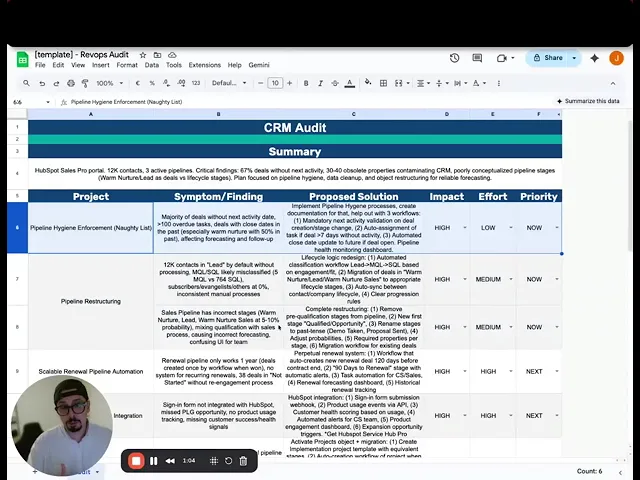
Set up a "Naughty List" workflow that flags deals with incomplete data. If a deal has been in Qualification for 7 days and doesn't have required fields filled out, it appears on the Naughty List.
Automated notifications remind reps to complete missing information. Send a daily digest showing which deals need attention. Escalate to managers if deals remain incomplete after 14 days.
This automation prevents data decay. Without it, reps forget to update records, fields remain empty, and your pipeline becomes unreliable. With it, you maintain clean data without manual oversight.
Data Enrichment Integration
Connect enrichment tools like Clay to your CRM to auto-populate company and contact data. This reduces manual data entry and improves accuracy. For teams looking to scale beyond basic enrichment, our complete guide to Clay automation for lead generation walks through building multi-source prospecting workflows and AI-powered personalization systems.
Set up workflows that trigger enrichment when a new opportunity is created. Pull in company size, industry, technology stack, and funding information automatically. This data helps with qualification and prioritization.
The key is pushing only critical information back to your CRM. Don't clutter your CRM with 50 enriched fields that reps will never use. Focus on the data that actually impacts qualification and deal strategy.
Regular Pipeline Audits
Conduct monthly or quarterly pipeline audits to review data quality. Check for deals sitting in stages too long, incomplete required fields, and unrealistic close dates.
Metrics to review during audits:
Age of deals (how many have been in pipeline 60+ days?)
Data completeness (what percentage of deals have all required fields?)
Forecast accuracy (how close were last quarter's forecasts to actual results?)
Use audit findings to refine your process. If deals consistently stall at a certain stage, your exit criteria might be unclear. If required fields are frequently empty, your enforcement mechanisms need strengthening. MIT Sloan research shows bad data costs most companies 15-25% of revenue. Maintaining rigorous oversight is therefore essential for protecting your bottom line.
Sales Pipeline Metrics & KPIs to Track at Each Stage
Conversion Rates by Stage
Track the percentage of deals that progress from one stage to the next. Qualification to Deal in Progress conversion rate shows how well you're qualifying. Deal in Progress to Closed Won shows how effectively you're closing.
Calculate these rates by dividing deals that progressed by total deals that entered the stage. If 100 deals entered Qualification and 60 moved to Deal in Progress, your conversion rate is 60%.
Benchmark against industry standards and your historical performance. If your Qualification to Deal in Progress conversion drops from 60% to 40%, something changed in your qualification process or lead quality.
Sales Velocity
Average days in each stage tells you where deals are moving quickly and where they're getting stuck. Calculate this by summing days spent in stage for all deals and dividing by number of deals.
If deals spend an average of 14 days in Qualification but 45 days in Deal in Progress, you know where your bottleneck is. Focus on shortening Deal in Progress by identifying what's causing delays.
Use sales velocity to identify process improvements. If proposals take 10 days to generate and that's slowing Deal in Progress, invest in proposal automation. If stakeholder meetings are hard to schedule, consider changing your approach to multi-threading.
Pipeline Coverage Ratio
Pipeline coverage is the ratio of pipeline value to revenue target. If your quarterly target is $500K and your pipeline contains $2M in qualified opportunities, your coverage ratio is 4x.
Most teams need 3-5x coverage for predictable forecasting. This accounts for deals that will close lost and deals that will slip to next quarter. If your coverage is below 3x, you need more pipeline. If it's above 6x, you might be over-forecasting or under-qualifying.
Track coverage by stage to understand where your pipeline is concentrated. If 80% of your pipeline value is in Qualification, you're early in the sales cycle and should expect lower near-term conversion. If 60% is in Deal in Progress, you should see higher near-term conversion.
Average Deal Size & Win Rate
Track average deal size by stage, segment, and sales rep. This helps you identify high-value opportunities and understand which market segments are most profitable.
Win rate (percentage of opportunities that close won) is your most important metric. Calculate overall win rate and win rate by stage, segment, rep, and lead source.
Use these metrics to improve targeting. If deals from referrals close at 60% but deals from cold outbound close at 15%, invest more in referral generation. If your "Industry A" segment has a 45% win rate while "Industry B" sits at 10%, shift your focus toward the higher-performing vertical.
Pipeline Health Metrics & Benchmarks
Metric | How to Calculate | Healthy Range | Red Flag |
Pipeline Coverage | Pipeline value ÷ Revenue target | 3-5x | < 3x (not enough deals) or > 6x (over-forecasting) |
Qualification Conversion | Deals moved to Deal in Progress ÷ Total in Qualification | 50-70% | < 40% (poor qualification) |
Win Rate | Closed Won ÷ Total Closed | 20-40% (varies by industry) | < 15% (targeting issues) |
Average Days in Stage | Sum of days ÷ Number of deals | Qualification: 7-14 days, Deal in Progress: 30-45 days | Any deal > 2x average cycle |
Data Completeness | Deals with all required fields ÷ Total deals | > 95% | < 80% |
Sales Pipeline Management Tools & CRM Integration
Selecting CRM Platforms
Your CRM must support custom pipeline structures and field validation. You need the ability to define required fields at each stage, create custom stages, and enforce progression criteria. And it needs to play nicely with your broader GTM tech stack so data actually flows between systems instead of sitting in silos.
Salesforce, HubSpot, and Pipedrive all support these capabilities, but implementation differs. Salesforce offers the most customization but requires more setup. HubSpot is easier to implement but has less flexibility. Pipedrive is simple and visual but may lack advanced features for complex sales processes.
Evaluate based on your team size, technical resources, and process complexity. A 5-person sales team doesn't need Salesforce's complexity. A 50-person team with multiple product lines might. For a detailed comparison of the two most popular options, read our breakdown of HubSpot vs Salesforce for startups.
Automation & Workflow Setup
Set up workflows that auto-move deals based on trigger events. When a contract is marked as signed, automatically move the deal to Closed Won. When a prospect responds "not interested," automatically move to Closed Lost.
Automated reminders keep reps on track. If a deal has been in Deal in Progress for 30 days with no activity logged, send a reminder to update the record or close it.
Example workflows to implement:
Auto-close deals in Qualification for 14+ days with no activity
Send notification when required fields are incomplete
Update deal stage when specific activities are logged
Alert manager when deal value exceeds threshold
Integration with Enrichment Tools
Connect data providers to your CRM to reduce manual data entry. When a new opportunity is created, automatically pull in company size, industry, technology stack, and recent news.
This enrichment helps with prioritization and personalization. If you see a prospect just raised Series B funding, you know budget isn't an issue. If they're using a competitor's product, you can tailor your positioning.
The benefit is faster qualification and better context for sales conversations. Reps spend less time researching and more time selling.
Reporting & Dashboards
Build dashboards that provide real-time visibility into pipeline health. Key dashboards to create:
Pipeline Overview: Total pipeline value, number of opportunities by stage, average deal size, win rate
Sales Velocity: Average days in each stage, deals moving forward vs. backward, stalled deals
Forecast Accuracy: Projected close dates vs. actual close dates, forecast vs. actual revenue
Rep Performance: Win rate by rep, average deal size by rep, pipeline value by rep
These dashboards should be accessible to reps and managers. Reps use them to prioritize their work. Managers use them to identify coaching opportunities and forecast accurately.
Ready to Build Your Scalable Pipeline Infrastructure?
Now that you understand how to structure your sales pipeline, it's time to audit your current setup.
Review your existing stages against the three-stage framework and identify where graveyard stages or marketing-sales blurring is creating blind spots. Start by defining clear entry and exit criteria for each stage, then implement automated hygiene checks in your CRM.
The result: cleaner data, faster sales cycles, and forecasts you can actually trust.
Need help with the implementation? Let’s jump on a quick call.
Frequently Asked Questions
What are the stages of a sales pipeline?
Your sales pipeline should follow a streamlined three-stage framework: Qualification, Deal in Progress, and Closed Won/Lost. Qualification confirms that a prospect fits your ideal customer profile and has shown genuine interest during an initial conversation, while Deal in Progress covers all active selling activities like presentations and negotiations. The process concludes with a binary outcome of won or lost to ensure no ambiguous "stalled" stages clutter your data. This structure prioritizes clear progression criteria over tracking minor activities, leading to more accurate forecasting and faster sales velocity.
What if my sales process has more than three distinct stages?
If your sales process has more than three distinct stages, you should still prioritize tracking activities through logs and custom fields rather than adding pipeline stages. Only introduce additional stages if you must measure conversion rates between milestones that represent fundamentally different deal states, such as a lengthy proof-of-concept phase. Avoid adding stages simply to monitor rep actions like "Proposal Sent" or "Demo Completed," as these are activities that belong in your activity log.
How do I handle deals that stall or go on hold?
To handle deals that stall or go on hold, you should close them as lost to maintain pipeline integrity and forecast accuracy. If a prospect asks to be contacted in the future, mark the deal as lost due to timing and set a follow-up task rather than using a "stalled" stage. This binary approach prevents your pipeline from becoming a graveyard for unengaged leads and ensures your sales velocity metrics remain realistic. If the prospect eventually re-engages, simply create a new opportunity to track the fresh sales cycle.
What are the most common pipeline structure mistakes?
The most common pipeline structure mistakes include mixing marketing and sales stages, which inflates forecasts with non-sales activity, and creating "graveyard" stages like "Stalled" that hide dead deals. Many teams also struggle with having too many stages or unclear progression criteria, leading to confusion and poor data hygiene among reps. Finally, failing to implement automated enforcement mechanisms often results in data decay and unreliable reporting.
How often should I audit my pipeline for data quality?
You should audit your pipeline at least monthly. Weekly reviews are recommended for high-velocity teams to maintain data integrity. Start by setting a recurring calendar event to review key health metrics, such as deals sitting in stages too long or missing required fields. Use CRM reporting to identify these problem areas and assign specific cleanup tasks to reps for any records that are incomplete or outdated. Consistent auditing ensures your forecast remains accurate and prevents "graveyard" deals from inflating your sales projections.
How do I measure if my pipeline structure is working?
To measure if your pipeline structure is working, track forecast accuracy by comparing projected revenue to actual results, aiming for a variance of less than 10%. Moreover, monitor stage conversion rates and deal velocity to identify if you are qualifying effectively and moving opportunities through the process faster than industry benchmarks. Finally, review data completeness to ensure your hygiene standards are being met, as a high percentage of filled required fields indicates effective enforcement. Consistent performance across these metrics confirms a high-integrity, functional pipeline.
Can I use the same CRM for marketing and sales pipeline?
You can use the same CRM for marketing and sales, but you should utilize separate objects, such as Leads for marketing funnel progression and Opportunities for the sales pipeline. This distinction prevents data confusion by ensuring marketing metrics like engagement scores stay on contact records while sales data like close dates remain on deal records. Using one object for both stages often leads to nonsensical reporting and inflated forecasts because cold prospects lack the intent required for sales-specific fields. Maintaining this structural separation keeps your data clean and ensures your sales reports remain meaningful and accurate.
Should I have separate pipelines for different products or segments?
You should maintain a single pipeline for different products and segments unless your products or segments require fundamentally different sales stages and progression logic. If the sales process remains the same and only variables like deal size or industry change, use custom fields and tags to segment your data rather than creating entirely new pipelines. Multiple pipelines often lead to fragmented reporting and make it difficult to identify cross-functional patterns. Stick to a single source of truth unless a specific offering demands unique entry and exit criteria that cannot fit within your standard framework.